
It's possible to use C directly inside Swift. Below is a tutorial on how to mix Swift and C in the same Xcode project.
I'll use SpriteKit Box2D as the sample app for this tutorial, which integrates SpriteKit in Swift with Box2D in C. Download Box2D from the official repository. I cloned the latest commit, f2086ed as of May 2026. You can download the latest release instead. It's up to you to choose which version you wish to work with.
Organize The Project
Create the following folder hierarchy in your Xcode project. By convention, "Vendor" is used to hold third-party libraries:
SpriteKit-Box2D/ ← app target’s source folder
Vendor/
Box2D/
include/ ← copy files from box2d repo
src/ ← copy files from box2d repo
LICENSE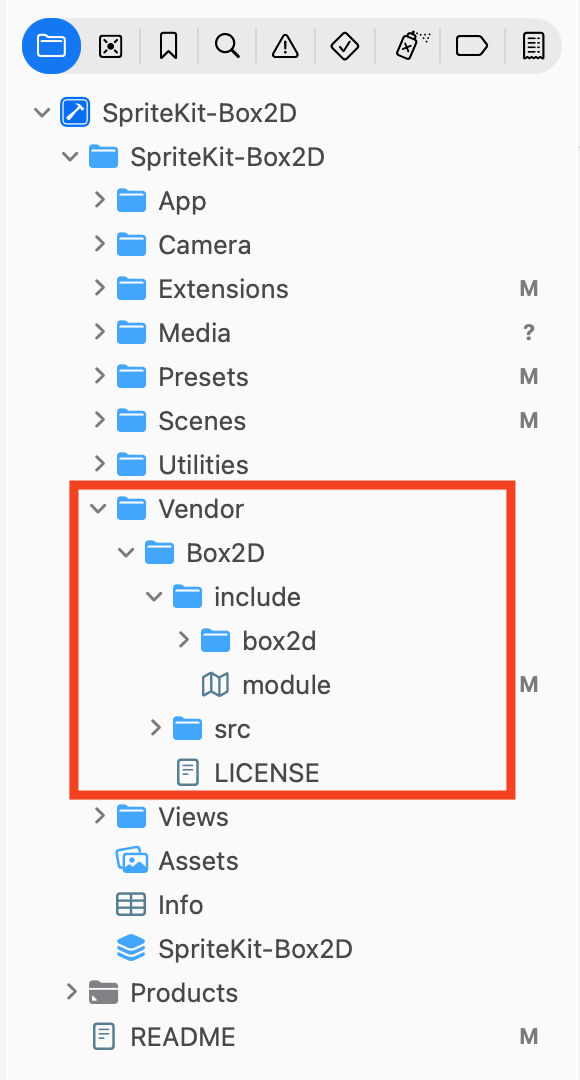 Media unavailable: Swift-and-C-Folder-Hierarchy.png
Locate the "include" and "src" folders inside the Box2D source code, and copy their content to their respective folders in the Xcode project.
Create a Module Map File
This is the first magic step: create a file called module.modulemap, and put it inside the include folder. Xcode knows how to create .modulemap files: go to File > New > File from Template. You'll find a template for this kind of file:
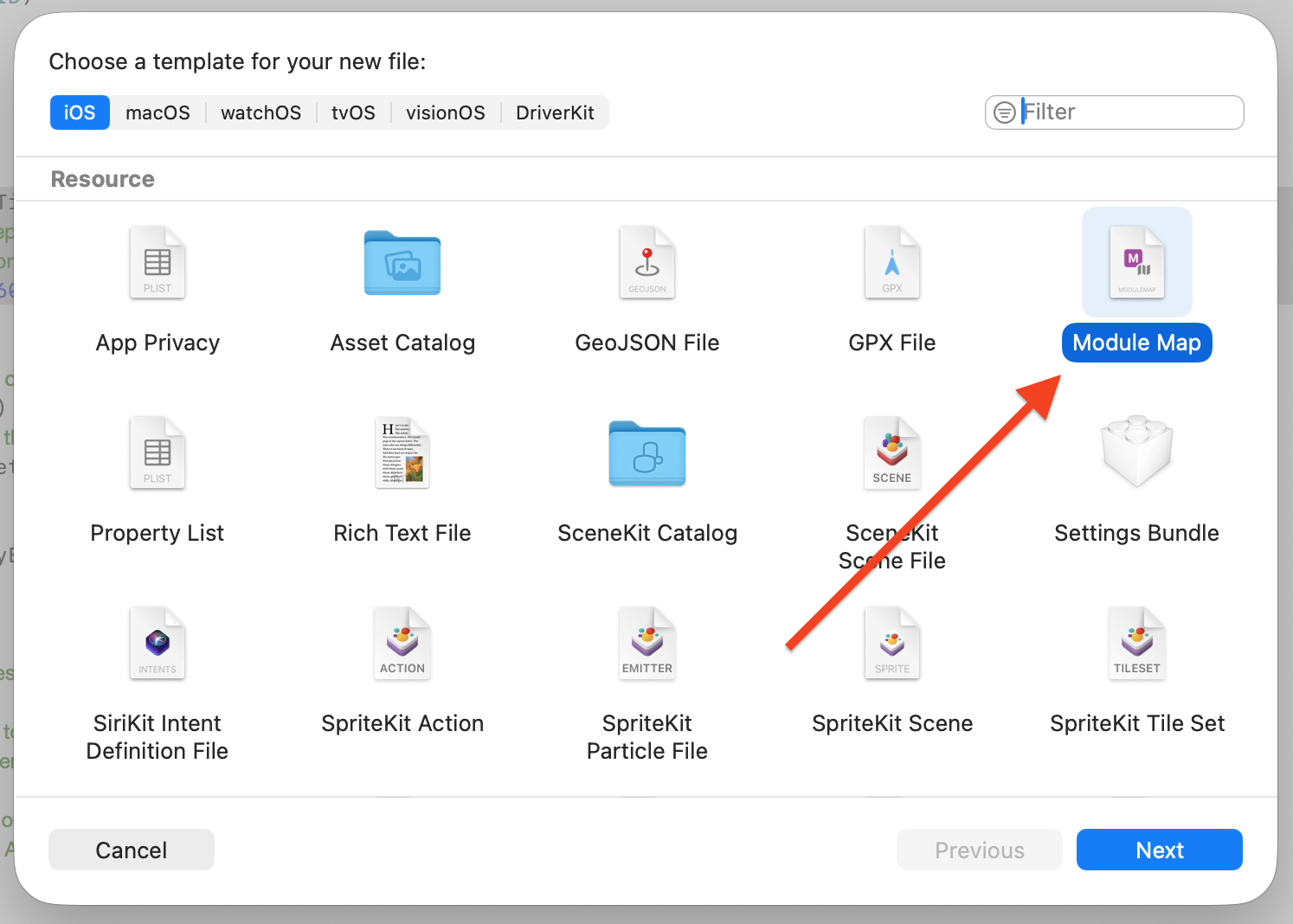 Media unavailable: Swift-and-C-Module-Map-Template.png
Add the following code inside that file:
module box2d {
    header "box2d/box2d.h"
    export *
}
This file is read by Clang, the compiler that handles C, Objective-C, and C++. Swift is compiled by the Swift compiler, but Swift can import Clang modules. Swift, C, Objective-C, and C++ are all first class languages on Apple platforms. They can work together in the same Xcode project.
The module map gives us a named C module that Swift can import. In fact, we can change the name of the module. For example, we can change to a capitalized name which is more Swift looking:
module Box2D {
    header "box2d/box2d.h"
    export *
}
Update Build Settings
Next, we need to tell Xcode and the compiler about these new additions.
-
Go to Project Settings > Targets > YourApp > Build Settings.
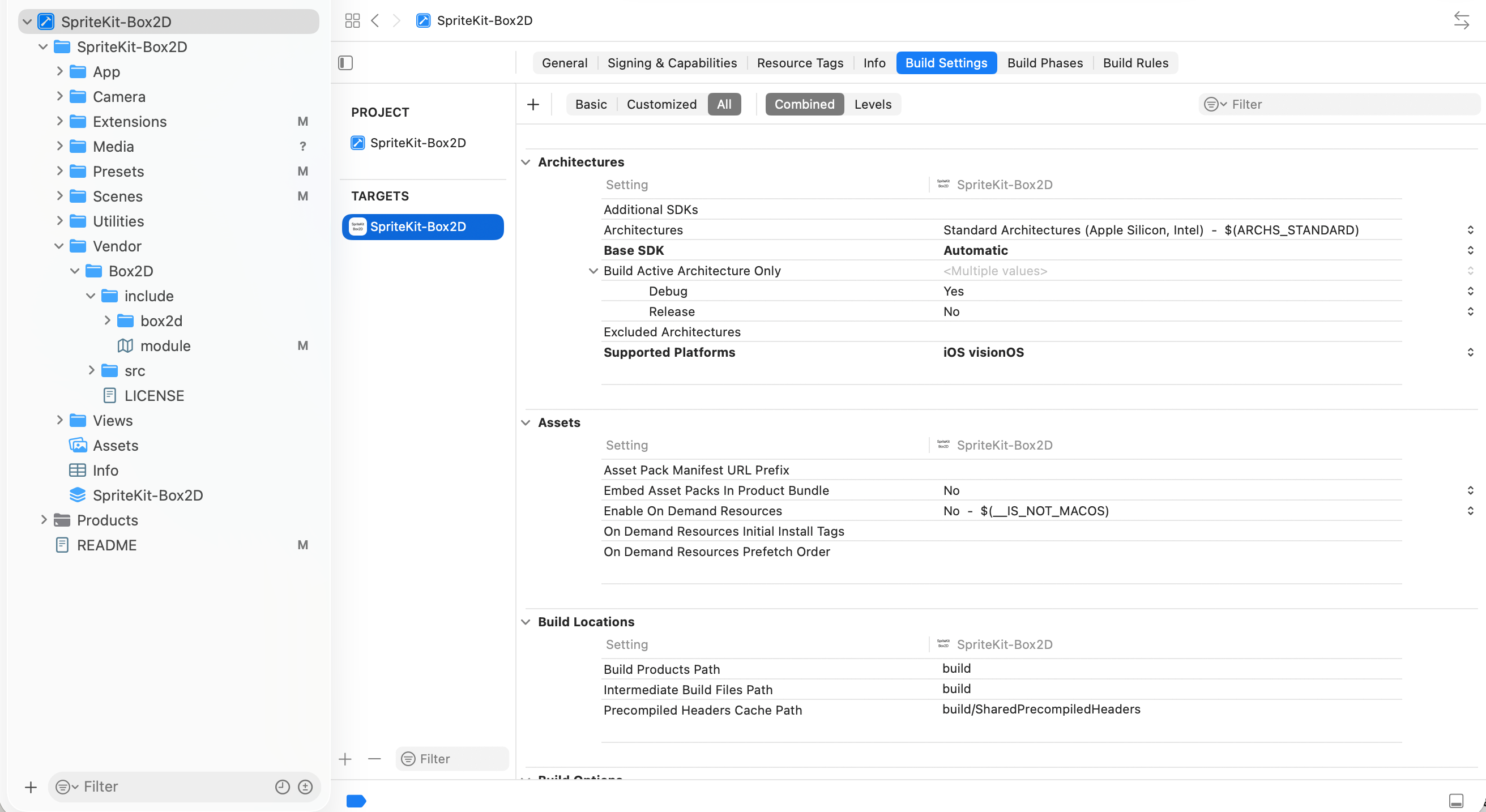 Media unavailable: Swift-and-C-Build-Settings.png
 -
Search for "Module Map File" and add the module map path:
$(SRCROOT)/SpriteKit-Box2D/Vendor/Box2D/include/module.modulemap$(SRCROOT)means the folder containing the .xcodeproj file, i.e. the outer folder.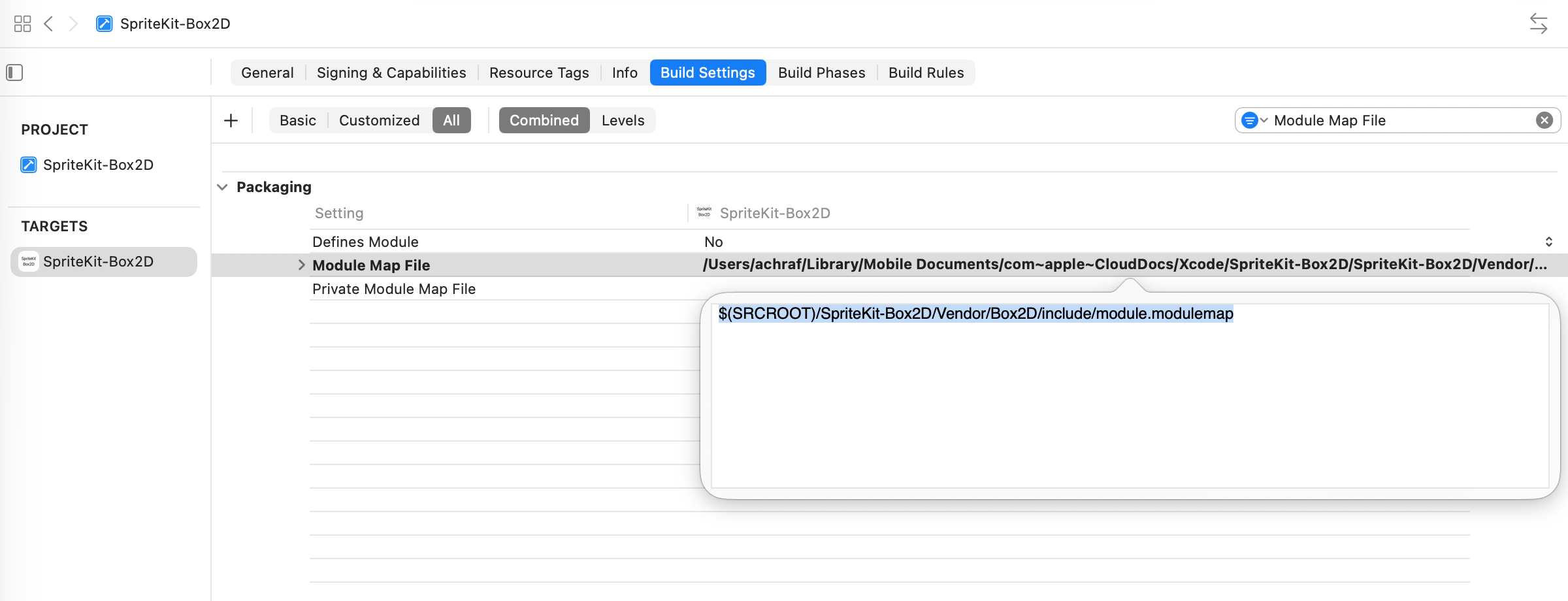 Media unavailable: Swift-and-C-Module-Map-File.png
 -
Then search for "Header Search Paths" and add the source code paths:
$(SRCROOT)/SpriteKit-Box2D/Vendor/Box2D/include $(SRCROOT)/SpriteKit-Box2D/Vendor/Box2D/src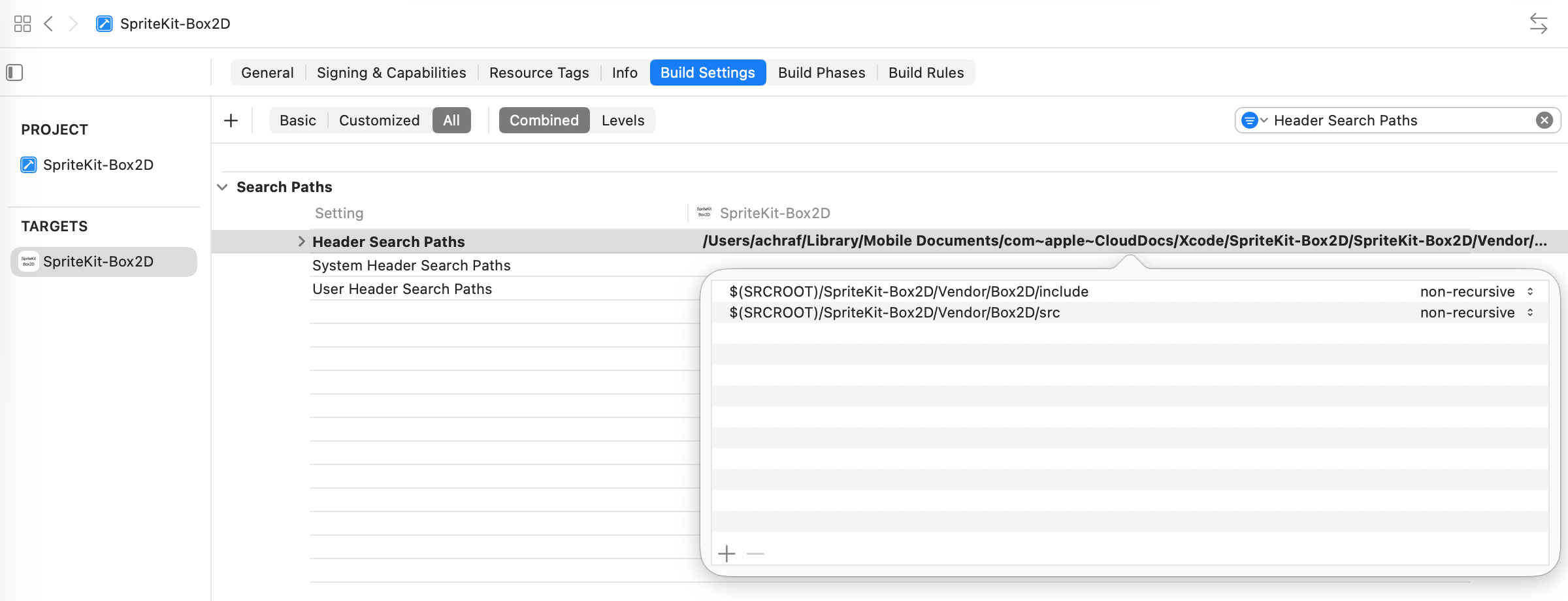 Media unavailable: Swift-and-C-Header-Search-Paths.png
Import the C Module
If the module map and the paths are right, we should now be able to import Box2D and directly use it inside a Swift file!
import SpriteKit
import Box2D

class MinimalScene: SKScene {

    /// Init a Box2D world with a null ID.
    var b2WorldId: b2WorldId = b2_nullWorldId // C function

	override func sceneDidLoad() {
        /// Setup scene..

        /// Create a Box2D world.
        var worldDef = b2DefaultWorldDef() // C function
        worldDef.gravity = b2Vec2(x: 0, y: 0) // C function
        b2WorldId = b2CreateWorld(&worldDef) // C function
    }

    override func update(_ currentTime: TimeInterval) {
        /// Run Box2D with a fixed timestep.
        b2World_Step(b2WorldId, 1/60, 4) // C function
    }

}
Extend C with Swift
We can use C methods directly inside Swift code. But C types do not always behave like native Swift types. For example, in order to use a Box2D type as a key in a Swift dictionary, the type must conform to the Swift protocol Hashable.
/// Does not compile yet, because b2BodyId is not Hashable
var dictionary: [b2BodyId: SKNode] = [:]
We can add these conformances manually. In this case, b2BodyId is a Box2D handle made of index1, world0, and generation. Two body ids are the same handle when those fields match.
extension b2BodyId: @retroactive Equatable {
public static func == (lhs: b2BodyId, rhs: b2BodyId) -> Bool {
lhs.index1 == rhs.index1 &&
lhs.world0 == rhs.world0 &&
lhs.generation == rhs.generation
}
}
extension b2BodyId: @retroactive Hashable {
public func hash(into hasher: inout Hasher) {
hasher.combine(index1)
hasher.combine(world0)
hasher.combine(generation)
}
}
/// Now compiles!
var dictionary: [b2BodyId: SKNode] = [:]Note how we used extension directly on a C type and added Swift code to it!
In the SpriteKit-Box2D integration, I kept the wrappers to a minimum. They are all in the Box2D+Extensions.swift file. It's up to you to extend further according to your needs and coding style.
Go Further
Mixing Swift with C is a large topic. The WWDC 2025 session Safely mix C, C++, and Swift (YouTube) covers more details and advanced memory safety features from Swift 6.2.
Links
-
Achraf Kassioui, SpriteKit Box2D, 2026.
-
Erin Catto, Box2D, GitHub.
-
Clang documentation, Modules.
-
Apple YouTube, Safely mix C, C++, and Swift, WWDC 2025.