This is a graphics programming demo that implements 2D soft shadows using Apple Metal and SpriteKit. Download the code and app below, and read about the making-of.
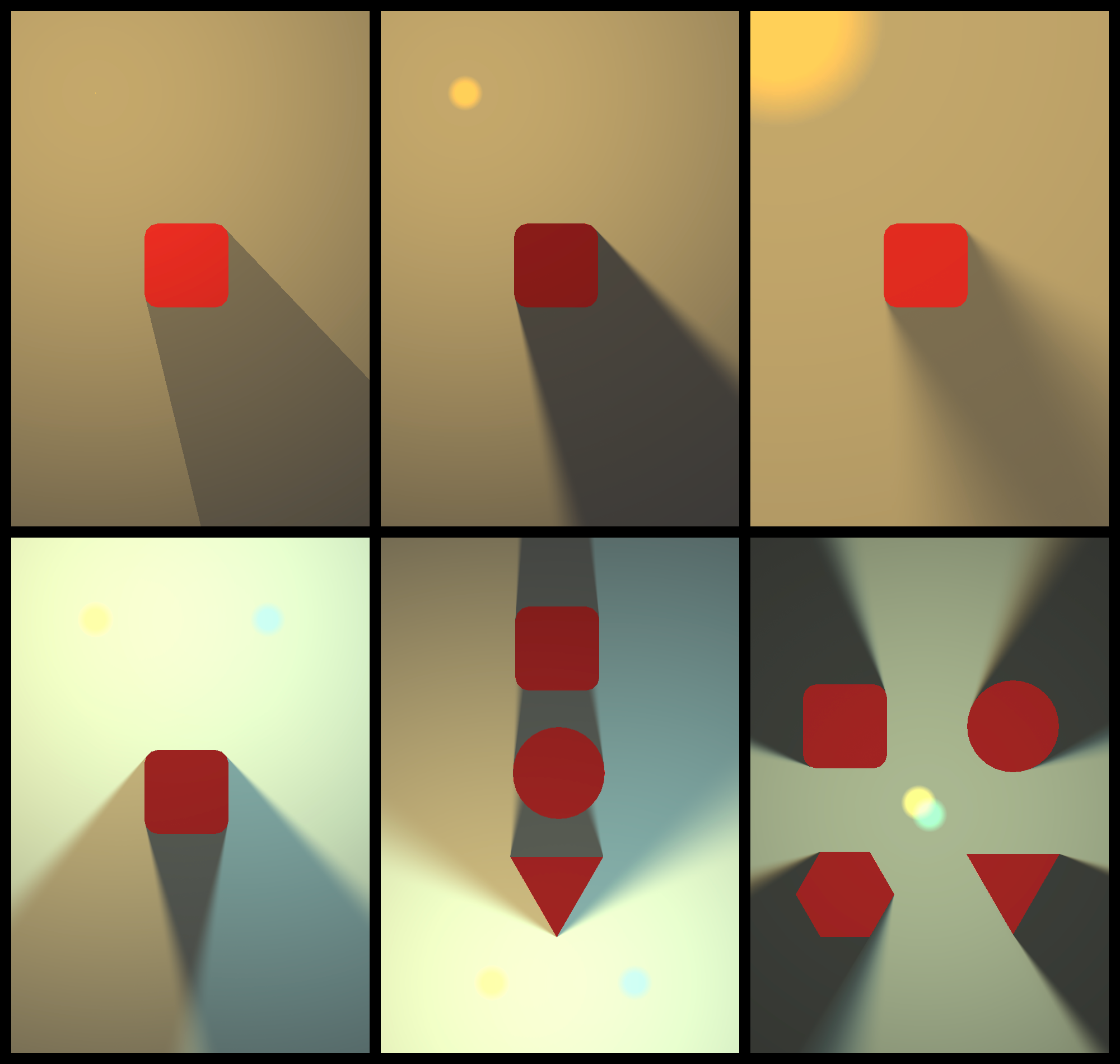 Media unavailable: SpriteKit-SoftShadows-Composition.png
Getting Started
The demo app runs on Mac Catalyst and iOS. To launch it:
-
Download SpriteKit-SoftShadows from GitHub.
-
Open the project in Xcode.
-
Update the project's signing.
-
Select a target device or simulator.
-
Run.
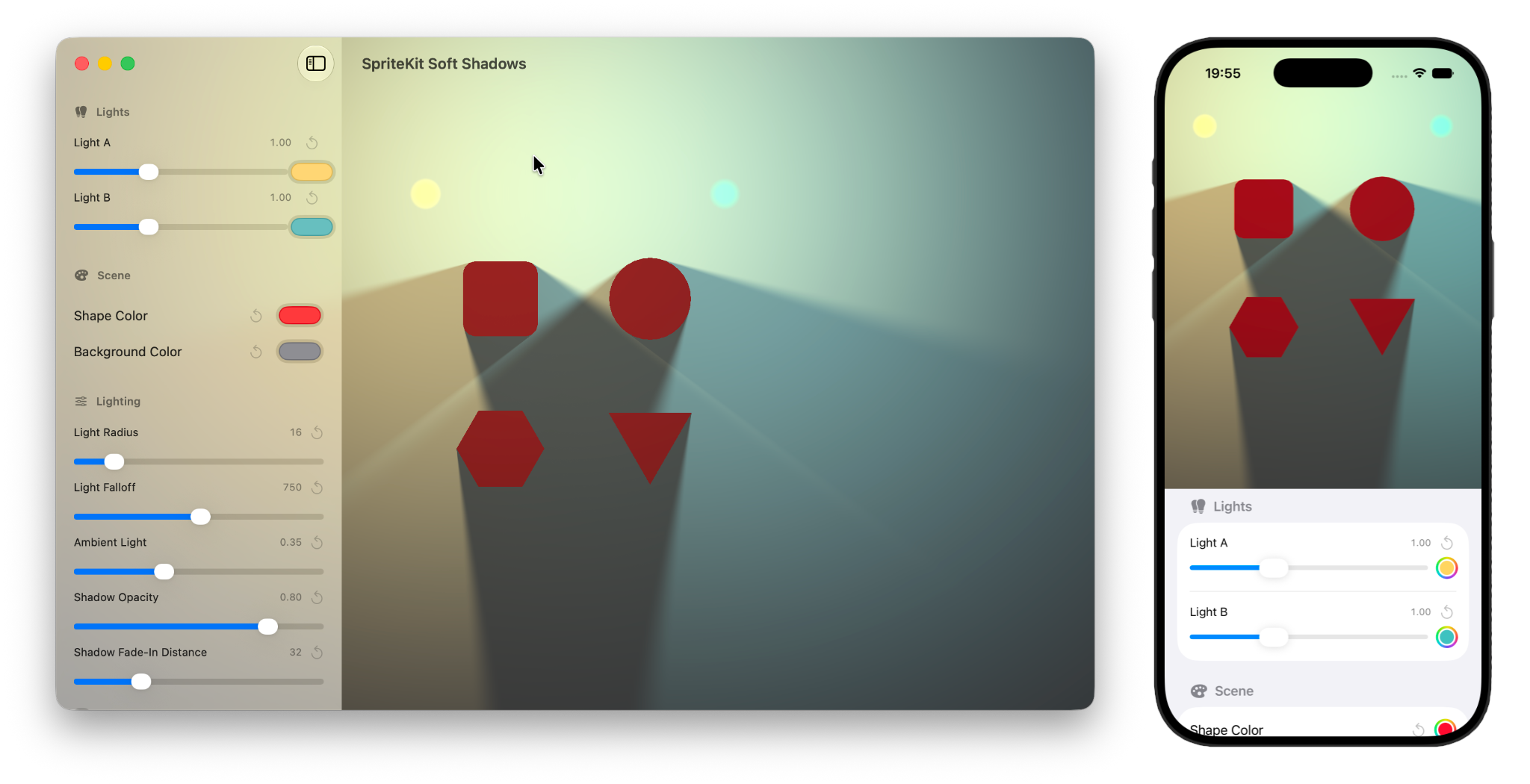 Media unavailable: SpriteKit-SoftShadows-DeviceComposition.png
How It Works
The app uses MTKView to drive the rendering loop at the desired frame rate. Each frame:
-
SpriteKit renders the scene into a Metal texture using
SKRenderer. -
The CPU sends each light's properties and the relevant shape edges to a Metal vertex shader.
-
The vertex shader projects shadow geometry from each edge.
-
A fragment shader calculates the shadow opacity at each pixel, producing a soft shadow mask for each light.
-
A final fragment shader combines the SpriteKit texture, lights, and shadow masks to produce the displayed image.
The SwiftUI controls update variables inside the SpriteKit scene through @Observable. The rendering loop consumes the new values on its next cycle.
SpriteKit & Metal
Technically, this proof of concept doesn't have to use SpriteKit. The shadow pipeline is bare Metal. SpriteKit is used as a convenient scene graph and base renderer:
-
SpriteKit renders the base unlit image with the sprites.
-
SKSceneholds the data structures that define a shadow caster: a convex polygon defined with vertices, and the visual node associated with it:
struct ShadowCaster {
    let node: SKSpriteNode

    /// Convex outline in local space, counter-clockwise winding.
    let vertices: [CGPoint]
}-
MTKViewreceives user input and passes it toSKScene. The scene uses SpriteKit hit testing to find and move the selected node. -
Each frame,
MTKViewasksSKScenefor the caster vertices in scene coordinates, after the node transforms have been applied. The scene determines which edges face each light, and the renderer copies those edge endpoints into a Metal buffer for the shadow shaders.
It's possible to replace SpriteKit with a full custom rendering path. To me this shows how nice SpriteKit is: we can use it as base, then add or replace parts of it with a Metal pipeline as needed.
Making-Of
Before I got to a working solution, I went through many trials and iterations, from GLSL fragment shaders to custom Metal rendering. Below are some milestones.
Area Light Sampling
SpriteKit supports GLSL fragment shaders. I tried to produce soft shadows with a pure fragment shader. The shader is applied to a sprite which receives the shadows (the woman's picture). Each frame, data is sent from the SpriteKit scene to the shader via multiple SKUniform values: the position and size of the sprite, the position and size of the rectangular shadow caster, and the position of the light.
For each pixel, the shader tests whether the line from the light to that pixel intersects the rectangular obstacle. It repeats this test from multiple positions around the light to simulate an area light. The percentage of lines that are not blocked determines how much the pixel is illuminated, producing a soft penumbra.
The result looks beautiful, almost like path-tracing, but it does not scale well. The shader assumes a single rectangular light blocker. The intersection tests for every pixel are costly. And SpriteKit has a limit on how many uniforms can be associated with each shader. Multiple blockers with complex geometry will hit these limits.
Occlusion Mask
Instead of describing every light blocker with separate uniforms, we can encode all of them in a single texture. Each frame, SpriteKit renders the silhouettes of the blockers into this texture. White pixels represent geometry that blocks the light. Empty pixels represent open space. That's the occlusion mask, and it's passed to the shader as an SKUniformType.texture.
For each pixel, the shader repeats the visibility test from multiple positions around the light center. For each test, it follows the line from the light to the pixel and checks the occlusion texture. If it finds a white pixel, the line is blocked. The percentage of lines that remain unblocked determines how much the pixel is illuminated. This supports multiple blockers with different shapes, including concave polygons. The recording below is the result, with two debug overlays that show the base scene render and the occlusion mask:
The setup works but is too slow and the shadows aren't great. Here are other experiments with different shadow approximations:
Visibility Polygon
Another approach is to calculate which part of the scene is visible from the light, aka a visibility polygon. Below is an implementation that runs on the CPU using SKShapeNode without involving a dedicated shader.
Each frame, we cast rays from the light source toward the corners of every object and keep the nearest intersection in each direction. The result is a set of points that form a polygon representing everything visible from the light. This polygon is passed as a CGPath to the shape node, drawn with a lighter color over the darker background, making everything outside it appear in shadow:
The resulting shadows are geometrically correct, but obviously it only produces hard shadows. SpriteKit already has a good implementation of hard shadows via SKLightNode. See an example here. I ran Xcode Metal debugger to understand how SpriteKit generates these shadows. The capture below shows projected shadow geometry in a stencil attachment during an internal Metal render pass:
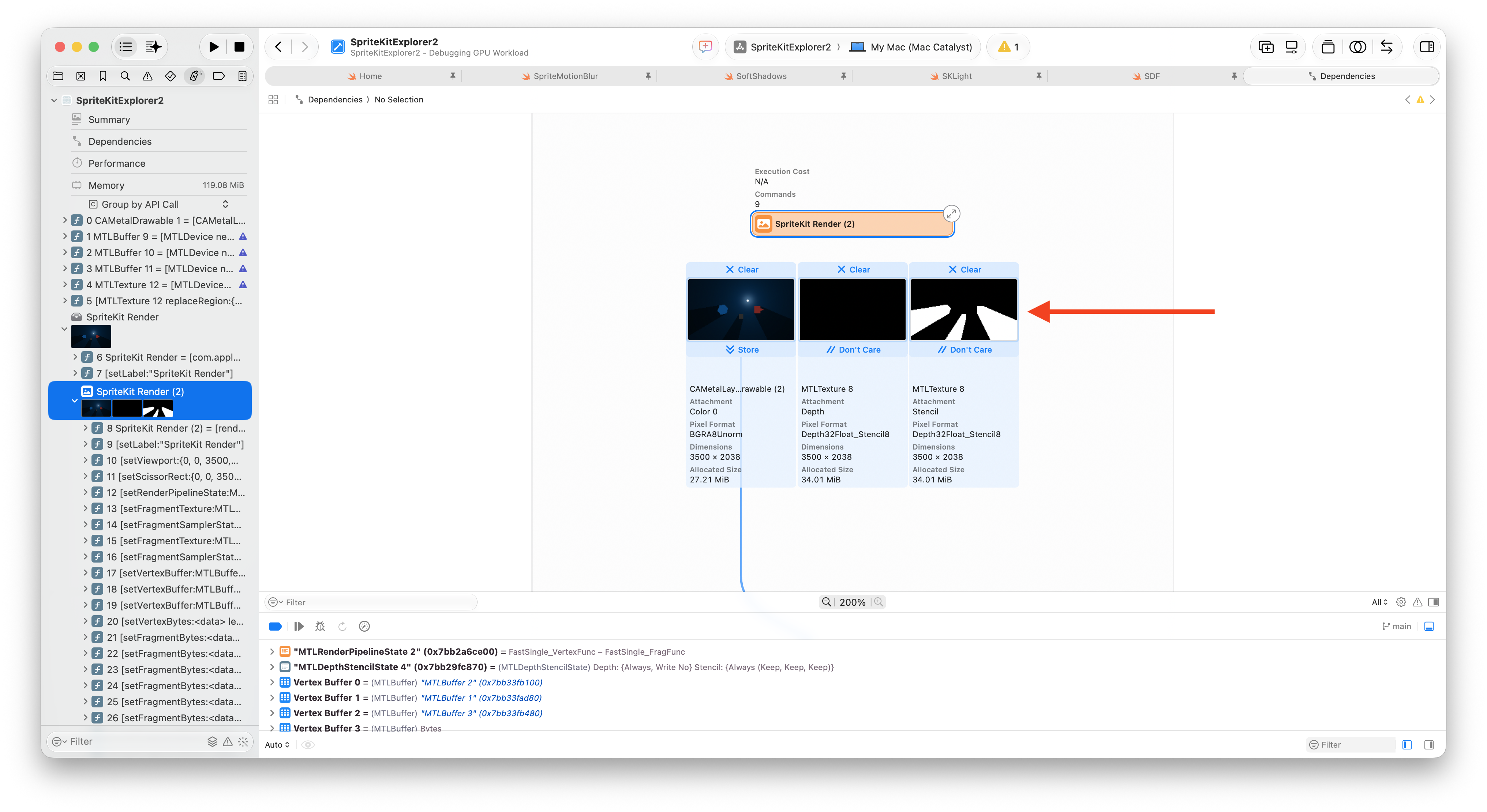 Media unavailable: SpriteKit-SKLightNode-Stencil.png
SKLightNode.Metal & Lembcke
SpriteKit shader API only exposes OpenGL fragment shaders. But to draw geometry on the GPU, we need vertex shaders. Thankfully SpriteKit has SKRenderer, which renders the scene into a Metal texture. From there, we can write any Metal vertex and fragment shaders, and composite the final result in a MetalKit view.
That is what SpriteKit-SoftShadows does. It projects geometrically correct shadows using a vertex shader and data sent from the scene to a Metal buffer. Then a fragment shader uses Lembcke's algorithm to simulate soft shadows from an area light.
Findings
-
When Metal API Validation is enabled in Product > Scheme > Edit Scheme > Diagnostics,
SKRendererrequires setting an explicit stencil texture attachment. -
When a project targets Mac Catalyst, the UI can be changed to look like iOS or macOS in Project Settings > Target > General > Deployment Info > Mac Catalyst Interface
-
SKSpriteNodecan render Display P3 colors. However,SKShapeNodeseem to only support sRGB. Colors outside the sRGB range may wrap, producing entirely different colors.
Links
-
Scott Lembcke, 2D Lighting with Soft Shadows, 2021.
-
Apple Documentation, Metal View.
-
Apple Documentation, SKRenderer.
-
Apple Documentation Archive, Metal Best Practices Guide - Triple Buffering.
-
Apple Documentation, Observation.
-
Apple Developer Forums, thread about color space and stencil attachment when rendering SKShapeNode content with SKRenderer.
License
This project is licensed under the Apache License 2.0.
If this project helps your work, attribution or a link back is appreciated: https://github.com/AchrafKassioui/SpriteKit-SoftShadows